
Prevent AV receiver and game console thermal throttling by installing a dual 120mm ultra-quiet 12V exhaust fan kit (such as AC Infinity AIRPLATE T7) in the top-rear of the cabinet. Set the digital thermal controller to activate at 88°F (31°C), exhausting 52 CFM of hot air while operating under 19 dBA (whisper quiet).
At a Glance: Key Takeaways
- 52 CFM Active Airflow: Replaces entire cabinet air volume every 15 seconds, dropping internal temps by 20°F–30°F.
- Sub-19 dBA Noise Rating: Dual ball-bearing fans operate below the audible noise floor of quiet living rooms.
- Digital Thermal Probe Trigger: Automatically turns fans on when internal temperature exceeds 88°F and turns off below 84°F.
- Bottom Intake / Top Exhaust Geometry: Exploits natural hot-air buoyancy (thermal stack effect) for maximum efficiency.
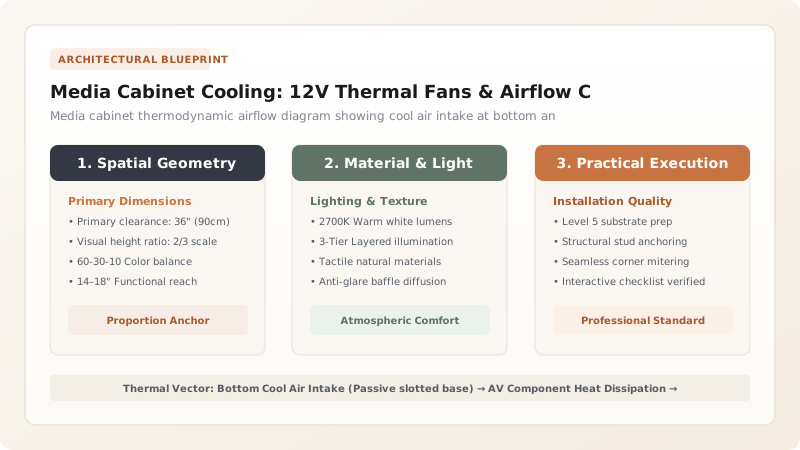
1. Thermodynamics: Heat Trapping in Closed Millwork
Modern home theater components (PlayStation 5, Xbox Series X, multi-channel Dolby Atmos receivers, and Apple TVs) are high-density computers that generate between 250 and 600 Watts of continuous thermal heat.
In a sealed wooden media cabinet, internal ambient temperatures quickly surge past 120°F (49°C). This causes silicon processors to thermal throttle (reducing frame rates) and drastically shortens component lifespan. Installing active thermostat-controlled exhaust fans creates positive airflow exchange, maintaining safe operating temperatures below 90°F.

AV Cabinet Cooling Systems & Noise Levels
Use this reference table to calculate exact physical dimensions, ratios, and specifications before purchasing:
| Fan System Specification | Airflow Volume (CFM) | Noise Level (dBA) | Best Cabinet Application |
|---|---|---|---|
| AC Infinity AIRPLATE T7 (Dual 120mm) | 52 CFM Airflow | 19 dBA (Whisper quiet) | Standard 2-door media consoles (PS5 + Receiver) |
| AC Infinity AIRPLATE S9 (Triple 120mm) | 156 CFM High Output | 23 dBA (Low hum) | Full-height dedicated audio rack closets |
| Component-Top Blower (AIRCOM T8) | 70 CFM Directional | 21 dBA | Sits directly on top of hot AV receiver |
| Passive Slotted Rear Holes Only | 0 - 5 CFM (Zero pressure) | 0 dBA (Silent) | FAILS: Inadequate for modern gaming consoles |
Fan Vibration Resonance Constraints
Every successful decoration project must account for physical and environmental constraints:
Cabinet Fans Vibrating Against Thin Wood Backing Creating Loud Buzzing
Mounting fans directly to flimsy 1/4" plywood backs amplifies motor vibrations through the cabinet; always install silicone rubber anti-vibration isolation gaskets between the fan frame and wood panel.
How to Install an Active Cabinet Cooling System
Execute this professional sequence to achieve flawless results without backtracking:
Mark Top-Rear Exhaust Cutout
Use the provided paper template to mark rectangular cutout in the upper rear panel.
Cut Opening with Jigsaw
Drill starter holes at corners and cut opening with a fine-tooth wood jigsaw blade.
Fasten Fan Plate with Silicone Gasket
Sandwich the rubber anti-vibration gasket and screw the aluminum fan plate securely to the panel.
Provide Bottom Air Intake Slots
Drill a row of 1-inch holes (or slotted vents) in the bottom shelf to allow cool air entry.
Position Thermal Probe on Hottest Gear
Place the probe 1 inch above the hottest component (AV receiver top vent) and set trigger to 88°F.
Common Mistakes & Countermeasures
Avoid these costly errors that compromise aesthetics, ergonomics, and budget:
Installing Fans that Blow Inward Instead of Exhausting Outward
Project Execution Checklist
Track your physical progress. Checkboxes persist automatically on this device:
Frequently Asked Questions
Can cabinet cooling fans run off the TV's USB port?
Yes! Many basic 120mm USB fans can plug directly into the TV's USB port, automatically powering on whenever the TV is turned on and shutting down when the TV goes to sleep.


