
Achieve a wire-free media wall by installing a code-compliant in-wall power bridge (recessed 120V outlet behind the TV) alongside a 2-inch flexible low-voltage conduit for HDMI and fiber cables. Mount floating consoles using heavy-duty aluminum French cleats anchored across 3 studs, and install 12V thermal-activated cooling fans inside closed cabinets.
At a Glance: Key Takeaways
- In-Wall Power Bridge Kit: Extends 120V AC power behind TV without violating National Electrical Code (NEC).
- 2-Inch Flexible Smurf Tube Conduit: Allows smooth future pulling of high-speed HDMI 2.1 and fiber optic cables.
- NEC Fire Code Compliance: NEVER run standard flexible TV power cords inside wall cavities (illegal fire hazard).
- 12V Thermostat Cabinet Fans: Whisper-quiet USB/12V fans exhaust trapped heat from closed AV receiver compartments.
- French Cleat Cantilever Mount: Interlocking 45-degree aluminum cleats support 200+ lbs of floating console weight.
In-Depth Guides in this Directory
Explore specialized subtopic blueprints, technical dimensions, and execution checklists:
In-Wall AV Conduits: 2" Smurf Tubes & Brush Plates
Master in-wall AV cable routing: 2-inch flexible ENT conduit (Smurf tube), dual-gang silicone brush plates, 90-degree sweep elbows, and pull-string fishing.
Media Cabinet Cooling: 12V Thermal Fans & Airflow CFM Math
Master AV cabinet thermal ventilation: whisper-quiet 12V dual-ball-bearing exhaust fans (AC Infinity), CFM airflow math, thermal probe placement, and intake-exhaust geometry.
Floating TV Consoles: French Cleats & 200-Lb Cantilever Math
Master floating media console installation: interlocking aluminum French cleats, 200-lb cantilever load calculations, 3-stud lag-screw anchoring, and safety lock screws.
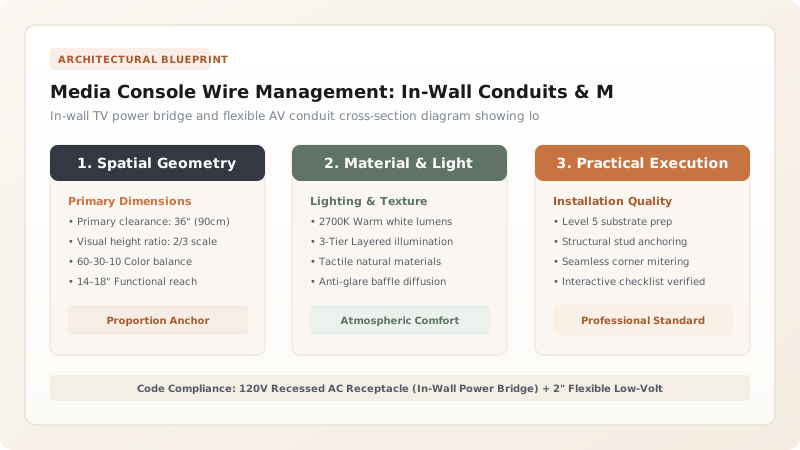
1. National Electrical Code (NEC): Power Cords vs Low-Voltage Signal Lines
The most common DIY mistake in media wall installation is dropping the TV's flexible rubber power cord down through a hole in the drywall to an outlet below. This is a severe violation of National Electrical Code (NEC Section 400.8) and invalidates homeowners insurance because flexible cords are not fire-rated for enclosed wall cavities.
To achieve clean, legal concealment, you must install an In-Wall Power Extension Bridge (Legrand / Sanus) which uses certified NM-B (Romex) building wire behind the wall, paired with a dedicated 2-inch low-voltage flexible conduit for HDMI, Ethernet, and optical cables.

Media Wall Wiring Standards & Conduit Specifications
Use this reference table to calculate exact physical dimensions, ratios, and specifications before purchasing:
| Wire / Cable Type | Concealment Method | NEC Code Standard | Max Pull Length |
|---|---|---|---|
| 120V TV Power Supply | In-Wall Power Bridge (Romex NM-B) | NEC 334.30 Compliant | Hardwired branch circuit |
| HDMI 2.1 / 8K Video Cables | 2" Flexible ENT Conduit (Smurf tube) | Class 2 Low-Voltage | 50 ft (Active Optical Fiber > 25 ft) |
| Cat6A Ethernet / Audio Fiber | Dual-gang brush plate in conduit | Class 2 Low-Voltage | 100 meters (328 ft) |
| Standard Appliance Power Cord | Surface raceway ONLY | NEC 400.8 (FORBIDDEN IN-WALL) | Surface cord cover only |
AV Receiver Thermal Throttling Constraints
Every successful decoration project must account for physical and environmental constraints:
Gaming Consoles and AV Receivers Overheating Inside Closed Cabinets
PS5 and high-end receivers produce 300+ Watts of heat; in closed cabinets, air temperatures exceed 115°F, triggering emergency shutdowns; install dual 120mm thermal-controlled ultra-quiet USB cabinet cooling fans (like AC Infinity AIRPLATE) in the rear panel.
How to Build a Zero-Wire Floating Media Console
Execute this professional sequence to achieve flawless results without backtracking:
Cut In-Wall Power Bridge Openings
Trace and cut drywall openings behind TV location (upper) and behind media console (lower).
Fish 2" Flexible Smurf Tube Conduit
Route 2-inch low-voltage flexible tubing between upper and lower wall cutouts in the same stud bay.
Mount Aluminum French Cleat Across 3 Studs
Lag-screw a heavy-duty aluminum French cleat bracket horizontally across 3 wall studs.
Hang Floating Console onto Cleat
Slide console onto French cleat, locking safety set screws to prevent accidental lifting.
Install Rear Cabinet Exhaust Fans
Jig-saw rear cabinet panel and mount 12V thermal-triggered fans set to exhaust air outward.
Common Mistakes & Countermeasures
Avoid these costly errors that compromise aesthetics, ergonomics, and budget:
Using Narrow 3/4-Inch In-Wall Conduit for Bulky HDMI Cable Connectors
Project Execution Checklist
Track your physical progress. Checkboxes persist automatically on this device:
Frequently Asked Questions
How high should a floating media console be mounted off the floor?
Mount the bottom of a floating media console 8 to 12 inches off the finished floor. This provides a sleek floating aesthetic while leaving ample clearance for robotic vacuum cleaners.


