
Style your desk by laying a felt or leather desk pad (31x12 inches) to anchor keyboard and mouse, elevating your monitor on a wooden riser with storage space underneath, hiding cables in under-desk raceways, and limiting surface decor to three curated items.
At a Glance: Key Takeaways
- Desk pads protect wooden surfaces while visually defining your core typing zone.
- Wooden monitor risers raise screens to eye level while creating storage beneath.
- Keep 70% of desk surface area completely clear for natural hand movement.
- Group desk items (pen holder, small plant, lamp) in a neat trio.
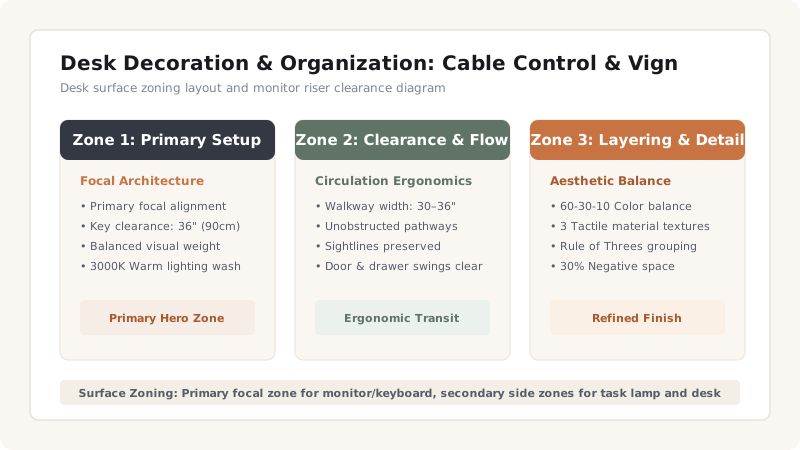
1. Desktop Surface Zoning Principles
A cluttered desk reflects a cluttered workflow. Desktop decor must enhance focus rather than compete for elbow room during work sessions.
Desk Accessory Selection
Use this reference table to calculate exact physical dimensions, ratios, and specifications before purchasing:
| Accessory | Functional Benefit | Material Choice | Placement Zone |
|---|---|---|---|
| Desk Mat / Pad | Protects wood, defines typing area | Wool felt or vegan leather | Center primary zone |
| Monitor Stand Riser | Eye-level ergonomics + Storage | Solid oak / walnut wood | Center back edge |
| Brass Pen Cup & Tray | Organizes pens, clips, drives | Solid unlacquered brass | Right corner zone |
| Mini Succulent / Plant | Calming green biophilic touch | Glazed ceramic pot | Left corner zone |
Desk Styling Constraints
Every successful decoration project must account for physical and environmental constraints:
Dust under Monitors
Elevating monitors on risers allows quick dust wiping underneath without moving heavy screen stands.
How to Style a Desktop in 4 Steps
Execute this professional sequence to achieve flawless results without backtracking:
Position Felt Desk Pad
Lay a 31x12 inch wool felt mat centered on desk surface.
Set Monitor Riser
Place wooden riser stand at back center, placing display on top.
Route Power Cables
Thread keyboard and monitor wires into a rear neoprene cable sleeve.
Add Brass Catchall
Set a small brass tray for pens and sticky notes on the right edge.
Common Mistakes & Countermeasures
Avoid these costly errors that compromise aesthetics, ergonomics, and budget:
Scatter of Loose Cables Across Surface
Project Execution Checklist
Track your physical progress. Checkboxes persist automatically on this device:
Frequently Asked Questions
What size desk pad is best for a laptop setup?
A 31x12 inch or 35x15 inch desk pad comfortably accommodates a laptop or full-size keyboard alongside a mousepad with ample room.


