
Decorate a productive home office by positioning your desk perpendicular to natural light windows, setting desk height to 29-30 inches, installing 4000K task lighting alongside 2700K ambient lights, styling a clean video backdrop, and hiding all cables in under-desk trays.
At a Glance: Key Takeaways
- Avoid placing monitors directly facing bright windows to prevent screen glare and eye fatigue.
- Maintain a 36-inch clear radius behind your desk chair for smooth movement.
- Video conference backdrops should showcase structured books, art, or clean shelving.
- Under-desk cable management trays remove visual clutter and trip hazards.
In-Depth Guides in this Directory
Explore specialized subtopic blueprints, technical dimensions, and execution checklists:
Small Home Office Decor: Nooks, Closets & Corner Desks
Create compact home offices in small spaces: cloffice closet conversions, floating wall desks, corner workstations, and foldable setups.
Desk Decoration & Organization: Cable Control & Vignettes
Style and organize your desk surface: desk pads, monitor risers, brass catchall trays, cable management raceways, and aesthetic desk setups.
Home Office Lighting: Task Lamps, Monitor Backlighting & Zoom Calls
Optimize home office lighting: 4000K task lamps, screen light bars, monitor ambient backlights, video call key lights, and anti-glare control.
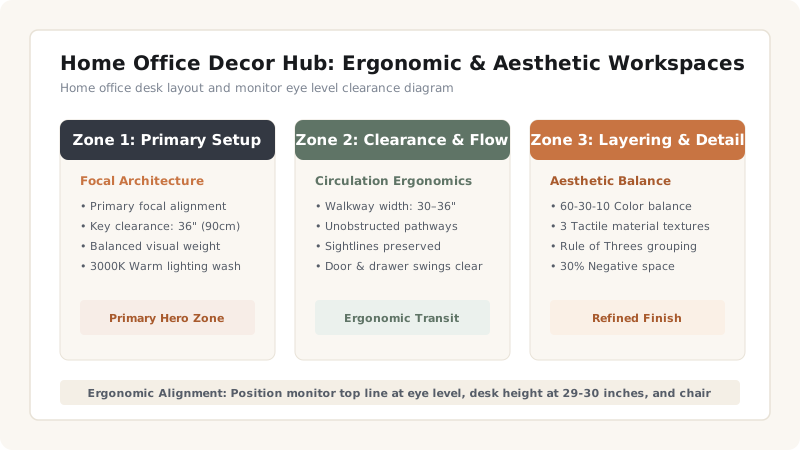
1. Ergonomic Clearances and Desk Layouts
A home office must balance professional ergonomics with residential warmth. Spending 8+ hours daily in a poorly designed workspace leads to physical fatigue and reduced concentration.
Key ergonomic benchmarks:
- Desk Height: Standard desk surface height sits at 29–30 inches (or 26–28 inches for keyboard trays).
- Monitor Alignment: The top third of your computer screen should sit at eye level, 20–28 inches away from your face.
- Lighting Angles: Position key light sources at 45-degree angles to avoid casting shadows onto paperwork or creating monitor glare.
Home Office Layout Comparison
Use this reference table to calculate exact physical dimensions, ratios, and specifications before purchasing:
| Layout Style | Desk Position | Best Used For | Video Backdrop Potential |
|---|---|---|---|
| Command Position | Desk facing room entrance door | Dedicated office rooms (> 100 sq ft) | High (Styled wall behind chair) |
| Window View Layout | Desk perpendicular to window | Rooms with natural views | Medium (Side light control) |
| Wall-Facing Layout | Desk pushed flush against wall | Compact rooms / bedroom nooks | Low (Room interior behind back) |
| Corner L-Shape | Corner dual-surface desk | Multi-monitor work & drafting | Medium (Corner artwork framing) |
Home Office Constraints
Every successful decoration project must account for physical and environmental constraints:
Cable Chaos
Dangling power cables ruin clean office decor; mount a J-channel raceway under desk back edges.
How to Style a Professional Home Office
Execute this professional sequence to achieve flawless results without backtracking:
Position Desk for Light
Place desk perpendicular to natural windows to eliminate glare.
Mount Cable Management Tray
Screw a wire mesh cable tray under the rear desk surface.
Add Task & Ambient Lamps
Set an adjustable 4000K LED task lamp on the left desk corner.
Curate Video Camera Backdrop
Hang two framed prints and a floating book shelf on the wall behind your chair.
Common Mistakes & Countermeasures
Avoid these costly errors that compromise aesthetics, ergonomics, and budget:
Sitting Back to a Bright Window on Video Calls
Project Execution Checklist
Track your physical progress. Checkboxes persist automatically on this device:
Frequently Asked Questions
What lighting color temperature is best for home office work?
4000K (Cool Neutral) is best for focused task lighting to promote alertness, paired with warm 2700K ambient floor lamps for evening warmth.


